From dataset to deployment: A practical guide to serverless fine-tuning
A code-first walkthrough of Serverless Fine-Tuning on Crusoe Intelligence Foundry, from uploading a dataset to deploying a LoRA adapter to a production endpoint using OpenAI-compatible API calls.

Serverless Fine-Tuning is now generally available in Crusoe Intelligence Foundry. The announcement covers what the service is and why we built it. This guide covers the how in code, from uploading a dataset to launching a job and deploying the adapter to a production endpoint.
The hands-on work takes a few minutes; the training itself runs unattended. If you have fine-tuned with the OpenAI SDK before, you already know every call in this post. Every step below is also packaged in a runnable fine-tuning repository, so you can follow along by reading or by running python3 run.py.
Setup
- Generate an Intelligence API key from the Intelligence Foundry page in the Crusoe Console. It is shown only once, so save it.
- Install the SDK:
pip install openai - Export the key:
export CRUSOE_API_KEY=...
The API is OpenAI-compatible, which is why the client below is the standard OpenAI SDK. Point it at the Crusoe base URL and existing code carries over.
import os
from openai import OpenAI

client = OpenAI(
    api_key=os.environ["CRUSOE_API_KEY"],
    base_url="https://api.intelligence.crusoecloud.com/v1",
)
Training data is a JSONL file in the standard chat format. One JSON object per line:
{"messages": [{"role": "system", "content": "Classify the customer message into one banking intent."}, {"role": "user", "content": "My card still hasn't arrived."}, {"role": "assistant", "content": "card_arrival"}]}If you already have datasets in this format from another provider, they work here without conversion. A preprocessing pipeline validates, cleans, and tokenizes your data, so formatting mistakes surface before training starts, not during it.
Pick a base model
List the models available to your key:
for m in client.models.list():
    print(m.id)
The catalog is curated and growing. It includes the Qwen, Llama, Gemma, DeepSeek, and gpt-oss families across a range of sizes. Use the exact model ID as returned by the API; IDs are case-sensitive.
Launch the job
The paths below point to the sample data that ships with the fine-tuning repository: a 20-row training set and a 5-row validation set. A validation file is optional, but it powers the validation loss metrics and early stopping used later in this post.
Upload your files, then create the job:
train = client.files.create(file=open("data/training_file.jsonl", "rb"), purpose="fine-tune")
val = client.files.create(file=open("data/validation_file.jsonl", "rb"), purpose="fine-tune")

job = client.fine_tuning.jobs.create(
    model="model-qwen-qwen3-5-2b-9ffa090d",  # use a real model ID from client.models.list()
    training_file=train.id,
    validation_file=val.id,
    suffix="intent-classifier",
    method={
        "type": "supervised",
        "supervised": {
            "hyperparameters": {
                "n_epochs": "auto",
                "batch_size": "auto",
                "learning_rate_multiplier": "auto",
                "lora_rank": 16,
            }
        },
    },
)
print(job.id, job.status)
# ftjob-abc123 queued
The three hyperparameters you know from OpenAI are here, and "auto" means what it means there: let the platform choose. There is a lot of engineering behind that "auto". No single default recipe works across models out of the box. Modern architectures do not fine-tune uniformly: mixture-of-experts models, hybrid-attention architectures, and per-family chat templates each need their own treatment. The Crusoe team tuned a recipe for each model in the catalog and verified it end to end before launch: the right parameters update, downstream evaluations actually improve, and the resulting adapter loads straight into inference. Choosing "auto" starts you from those pre-configured best practices.
The fourth parameter, lora_rank, is one of Crusoe's extensions to the OpenAI API. It's set to a real value here just to show you can override individual fields while leaving the rest on auto. When you want more dials, they are all there. The remaining fields cover adapter shape, optimization schedule, and run control: things like learning_rate, warmup_ratio, and early_stopping_patience. Override any subset and the server defaults fill in the rest. The full parameter reference lives in the API documentation.
A few habits that pay off:
- Tip: Start with the defaults and a validation file. Validation loss is computed throughout training, and setting
early_stopping_patienceends the run once validation loss plateaus. You stop paying for steps that no longer help.
- Tip: If results disappoint, revisit
n_epochsand the learning rate before touching LoRA shape. Recent research found that once the learning rate is tuned well, different adapter shapes and ranks land within a couple of points of each other.
- Tip: By default, a training row longer than the supported context length stops the job. This is deliberate. If you prefer to discard long rows and proceed, set
overlong_row_behaviorto"drop", keeping in mind that dropped rows shrink your training set.
Supervised fine-tuning is the method available today, which is why the job above sets its method type to "supervised". The field is structured so that new training methods can slot in alongside it, and more techniques are in the works.
Monitor the run
Poll the job until it reaches a terminal state:
import time

while True:
    job = client.fine_tuning.jobs.retrieve(job.id)
    if job.status in {"succeeded", "failed", "cancelled"}:
        break
    time.sleep(10)
If the run ends in failed, the returned job object carries the error, and the job page in the Console has the full details.
A run on the sample data takes about half an hour. Larger datasets and models take longer. The job runs server-side, so stopping this script does not stop training.
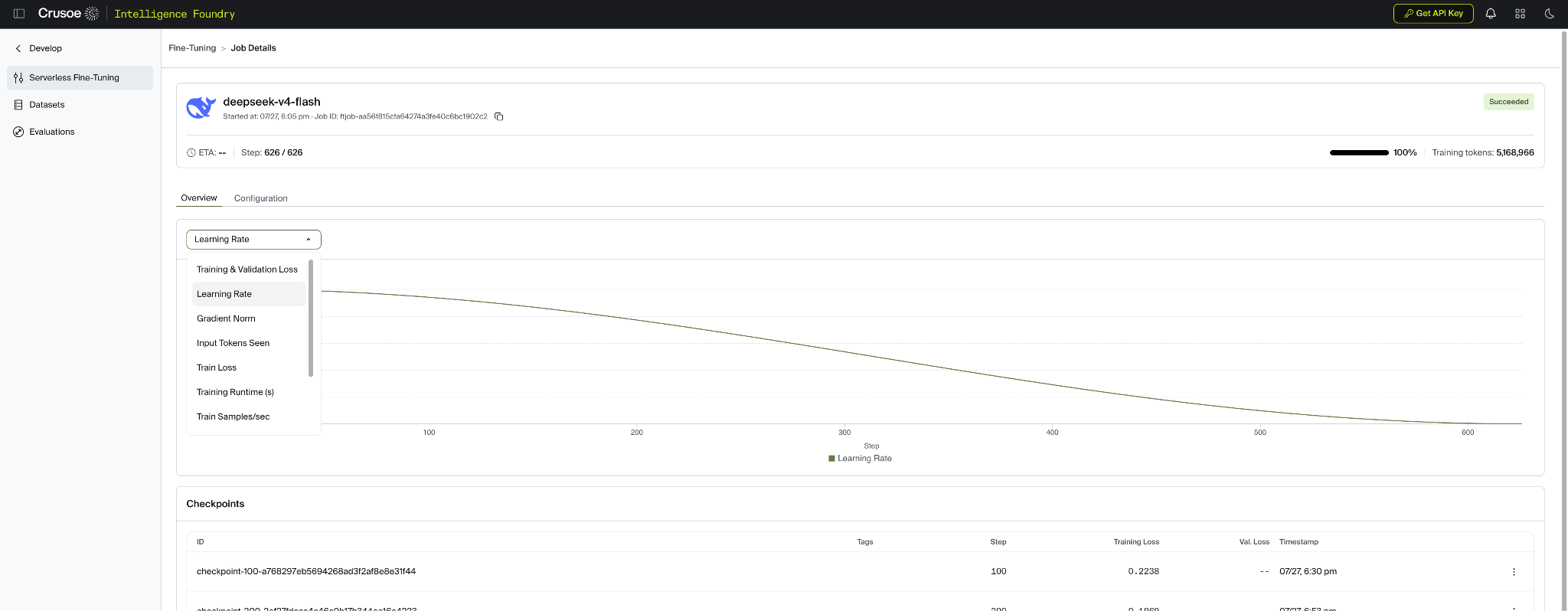
Each checkpoint carries metrics (training loss, validation loss, and mean token accuracy) along with its own model ID, which is usable directly for inference once registered.
for cp in client.fine_tuning.jobs.checkpoints.list(job.id).data:
    print(cp.step_number, cp.fine_tuned_model_id, cp.metrics.train_loss, cp.metrics.valid_loss)
# 120 ftmodel-abc123 0.31 0.42
For live curves, open the job page in the Crusoe Console. The Console tracks training metrics in real time, so you can confirm the model is improving while the run is still in flight.
Deploy it
Your final weights come back as a LoRA (Low-Rank Adaptation) adapter, packaged as a ZIP of .safetensors files that you can download through the API. The fine-tuning repository shows a working download step. The weights are yours to keep and to run anywhere.
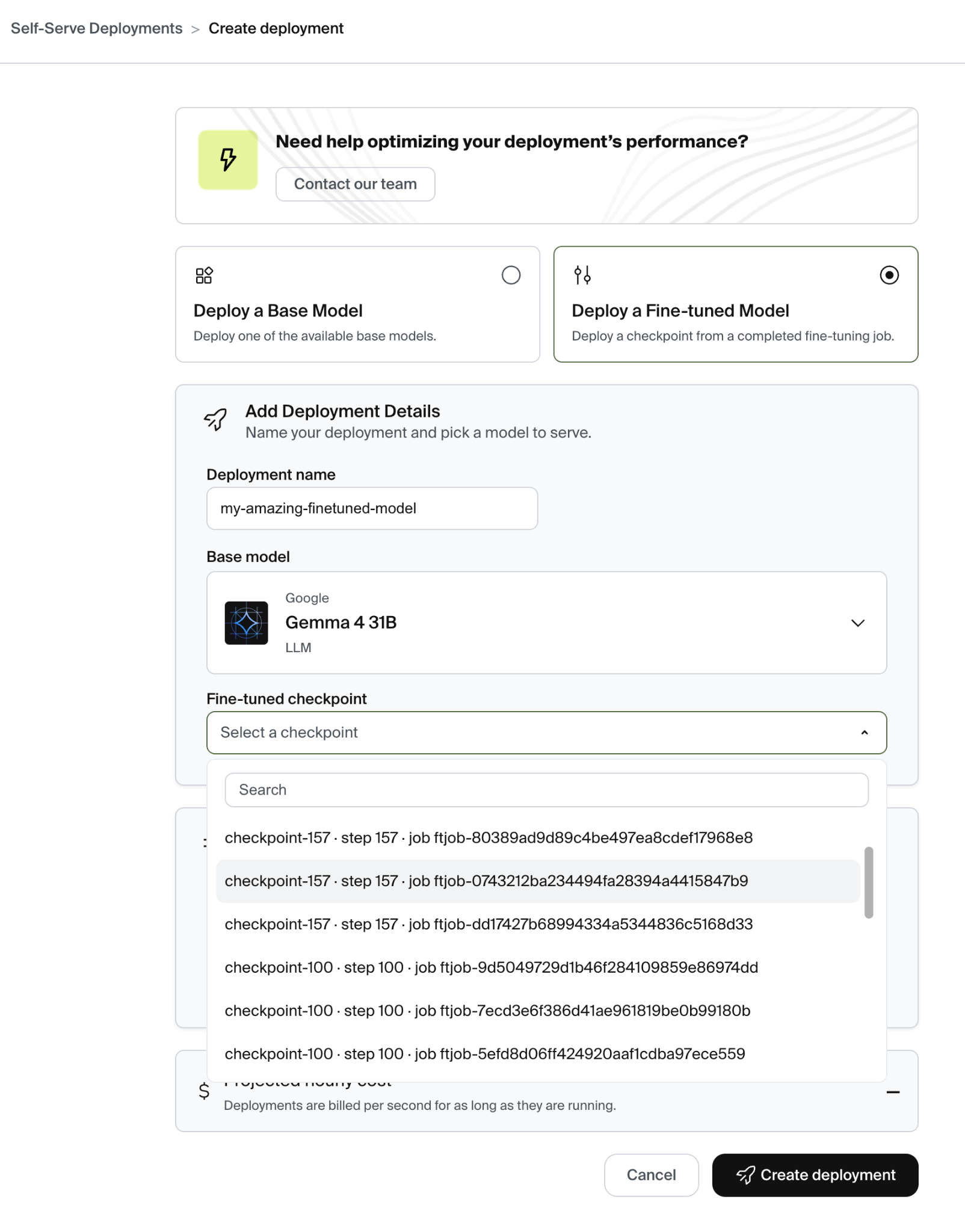
The fastest path to production skips the download entirely. Once a checkpoint is ready, your adapter appears in the model selector for Self-Serve Deployments in the Crusoe Console. No export step, no re-upload. Choose an optimization profile that fits your workload, deploy, and your model starts serving requests. The Self-Serve Deployments post covers profile selection and the economics in detail.
- Tip: A job that reports
succeededregisters itsfine_tuned_modelID after a short delay. The fine-tuning repository handles the wait for you, polling until the model is registered and ready to use.
Run it on your own data
Everything above is packaged in crusoe-managed-finetuning-example. It's a repeatable workflow, not a one-time demo — it creates and manages fine-tuning jobs on the sample data it ships with, or on yours. Clone it and run your first job now:
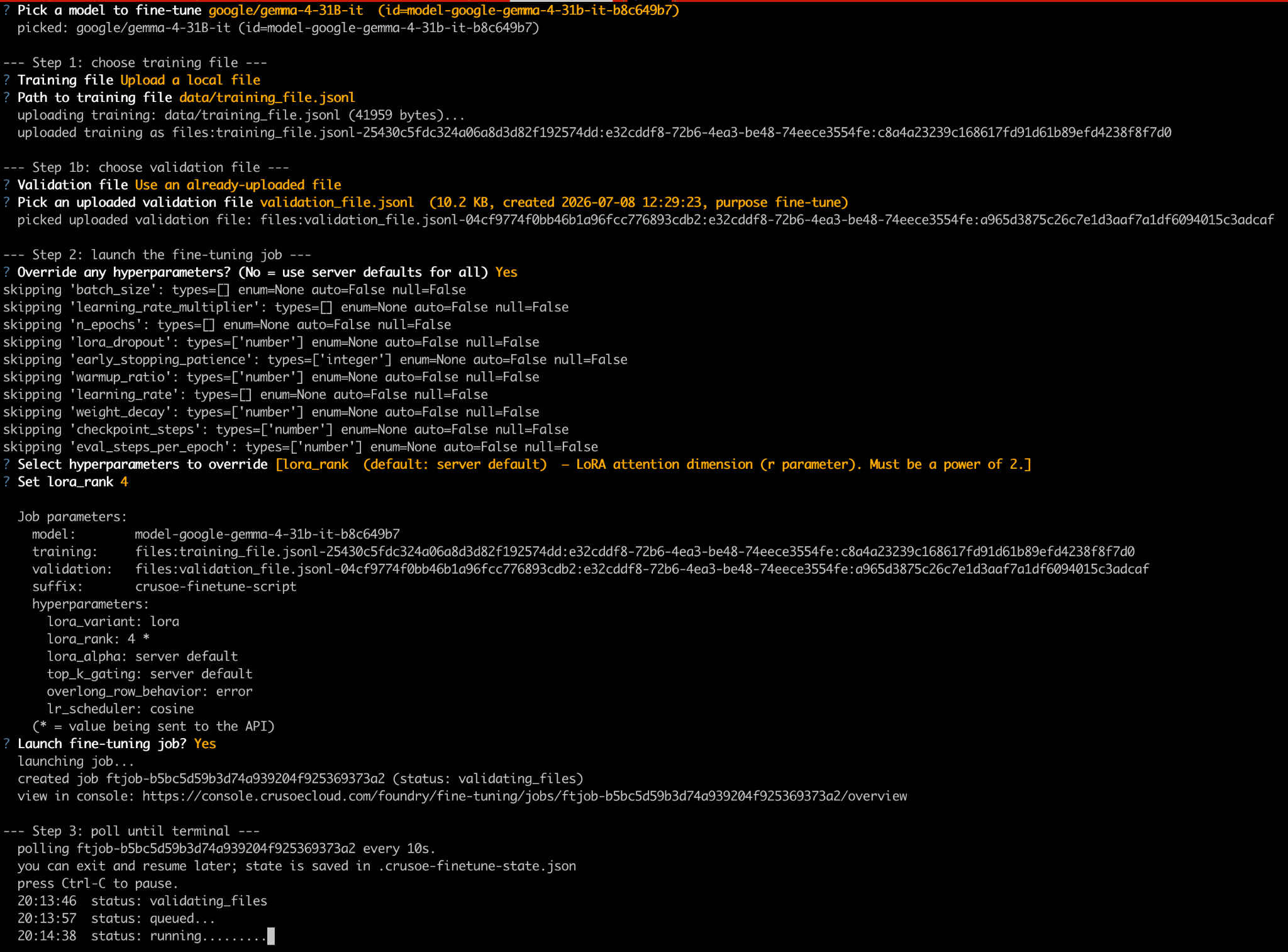
- Launch a job without writing any code. Add your API key and run
python3 run.py. Interactive menus walk you through model selection, file upload or reuse, and hyperparameter overrides. - Bring your own dataset. Replace the sample
data/*.jsonlfiles with your data in the same chat format, or point the file picker at any local path. Already-uploaded files can be reused across runs. - Or work in JupyterLab.
python3 run-jupyter.pyopens the same flow as a notebook, one cell per step, and cleans up after itself when you close it. - Walk away mid-run. Fine-tuning jobs run for hours. Press Ctrl-C, close your laptop, and resume later by running the script again. State is saved after every step; polling, adapter registration, and Console links are all taken care of.
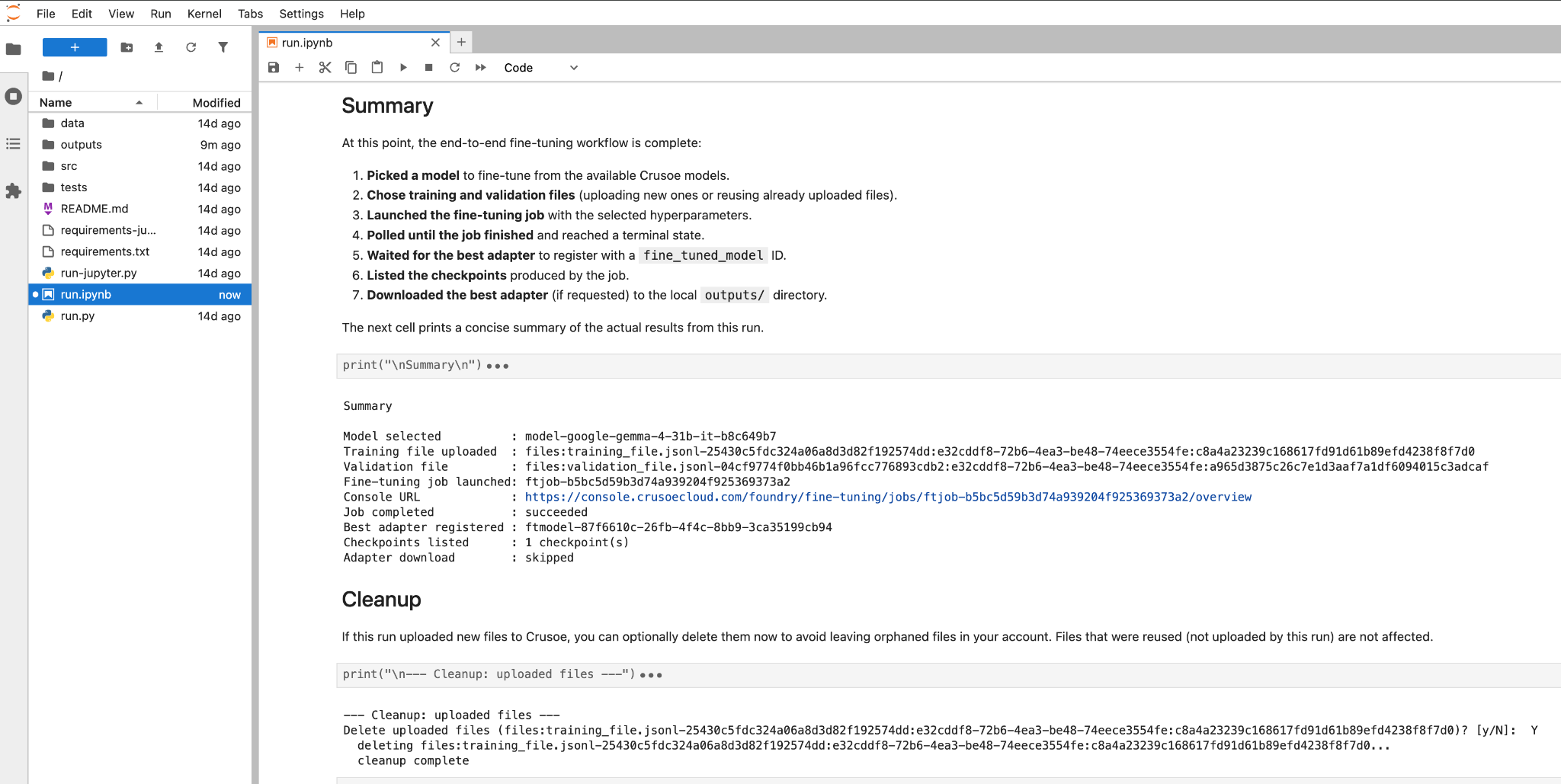
Where to take it from here
- Make retraining a habit. Jobs draw on serverless GPU capacity with no idle spend between runs, so you can fine-tune as often as your data supports: weekly, daily, or whenever enough new signal accumulates.
- Deploy the checkpoint you want. Every checkpoint carries its own model ID and lands in the same model registry, so you can serve the one with the best validation metrics rather than the last one written.
- Need dedicated capacity? For workloads that call for reserved resources or custom performance optimization, connect with the Crusoe team about Tailored Deployments.
Wrapping up
That is the whole workflow: upload a dataset, launch a job, watch the metrics, deploy the adapter. At the end you hold an open model tuned on your data, with weights you can download and an endpoint you control.
Sign up for Crusoe Intelligence Foundry to get started, or clone the repository and start fine-tuning on your own data today.

.jpg)
.jpg)